压缩 JavaScript
压缩 JavaScript 文件可以减少有效负载大小和脚本解析时间。Lighthouse 报告的“机会”部分列出了所有未压缩的 JavaScript 文件,以及缩小这些文件后可能节省的千字节 (KiB) :
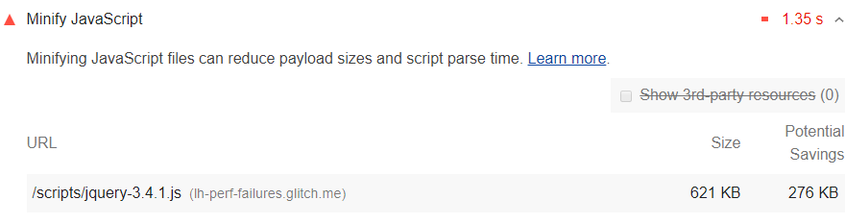
1. 如何压缩 JavaScript 文件
压缩是删除空格和任何无用代码的过程,用来创建一个更小的完全有效的代码文件。Terser 是一种流行的 JavaScript 压缩工具。webpack v4 默认包含这个库的插件来创建压缩的 Javascript 文件。
2. Stack-specific guidance
2.1. Drupal
Ensure you have enabled Aggregate JavaScript files in the Administration
Configuration > Development page. You can also configure more advanced aggregation options through additional modules to speed up your site by concatenating, minifying, and compressing your JavaScript assets.
2.2. Joomla
A number of Joomla extensions can speed up your site by concatenating, minifying, and compressing your scripts. There are also templates that provide this functionality.
2.3. Magento
Use Terser to minify all JavaScript assets from static content deployment, and disable the built-in minification feature.
2.4. React
If your build system minifies JS files automatically, ensure that you are deploying the production build of your application. You can check this with the React Developer Tools extension.
2.5. WordPress
A number of WordPress plugins can speed up your site by concatenating, minifying, and compressing your scripts. You may also want to use a build process to do this minification up front if possible.